A repeatable Windows work setup is more than an app launcher. The useful version also closes or blocks distractions, opens the correct project, enforces the session rules and knows when the workspace should end. Axorith stores that as a preset.
Before Axorith
The same setup work happens every day.
Open the IDE. Find the project. Open the browser. Close Steam. Close Discord. Start the right music. Turn on the blocker. If you use Home Assistant, set the room scene too. None of those steps is difficult, but together they become a ritual you repeat every time you change context.
Preset
Describe the state once.
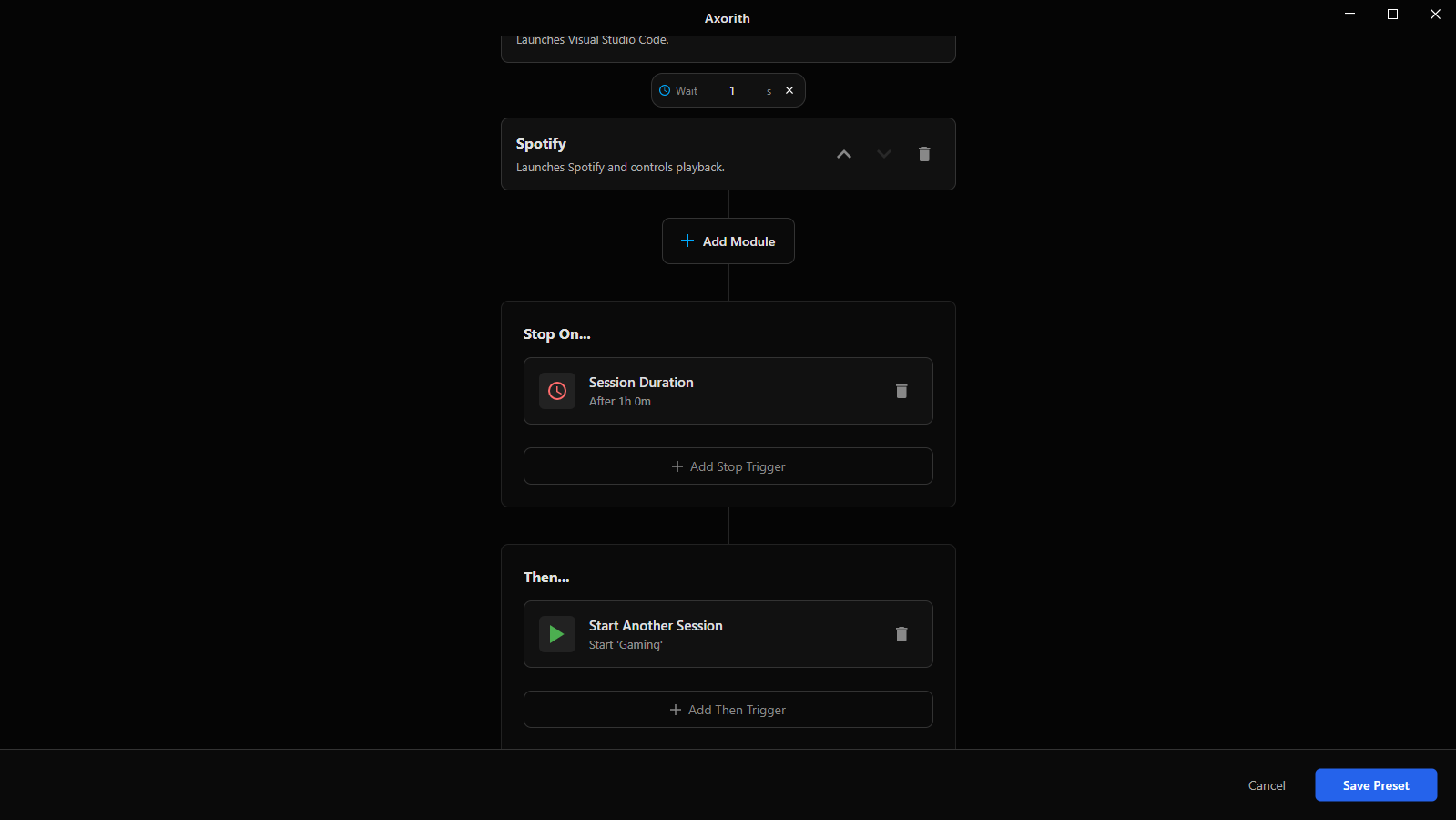
A preset can contain Application Launcher, App Blocker, Site Blocker and optional modules such as Spotify or Home Assistant. It also contains the rules for the session itself, including Focus Commitment and stop conditions.
Scheduler
Move from a launcher to an actual routine.
Scheduling makes the preset a rule instead of a button. For example, Programming can start at 09:00 on weekdays. At 18:00 it can end and hand off to Relax. The second preset can launch a different set of apps with different blocking rules.
The schedule belongs to the same workspace definition, so there is no separate Task Scheduler script to keep in sync with the blocker configuration.
Focus Commitment
Decide how easy the session should be to abandon.
Some sessions only need structure. Others need stronger commitment. Axorith keeps those rules with the preset, so the same work setup can also define how the session ends, whether breaks are available and what should happen after completion.
Home Assistant
The physical room can follow the workspace.
The Home Assistant module can trigger configured entities when a session starts or ends. That makes it possible to keep desk lights or scenes on the same boundary as the digital workspace without moving the rest of Axorith into the cloud.
AXORITH FOR WINDOWS
Run the setup instead of rebuilding it.
Create the workspace once, then start it manually or let the schedule do it.