Stop rebuilding your workspace every time you start.

Save your apps, blockers and session rules in a preset. Start it yourself or on a schedule.

Axorith

Presets

Programming
Locked Launch CLion, Browser, Block Distracting Sites +2 · Until 18:00
Schedule: Mon, Tue, Wed, Thu, Fri at 09:00
Relax
Normal Launch Steam, Discord, Spotify · Until stopped
Study
Strict Browser, Site Blocker, App Blocker · Session duration: 120 min

One preset replaces the setup ritual.

Save the apps, blockers and session rules together once. After that, starting work means starting the preset.

PresetProgramming
Locked
CLionBrowserSpotifyApp BlockerSite Blocker

Build the whole session in one editor.

Set Focus Commitment, choose how the preset starts, add modules in order, define when it stops and what happens next.
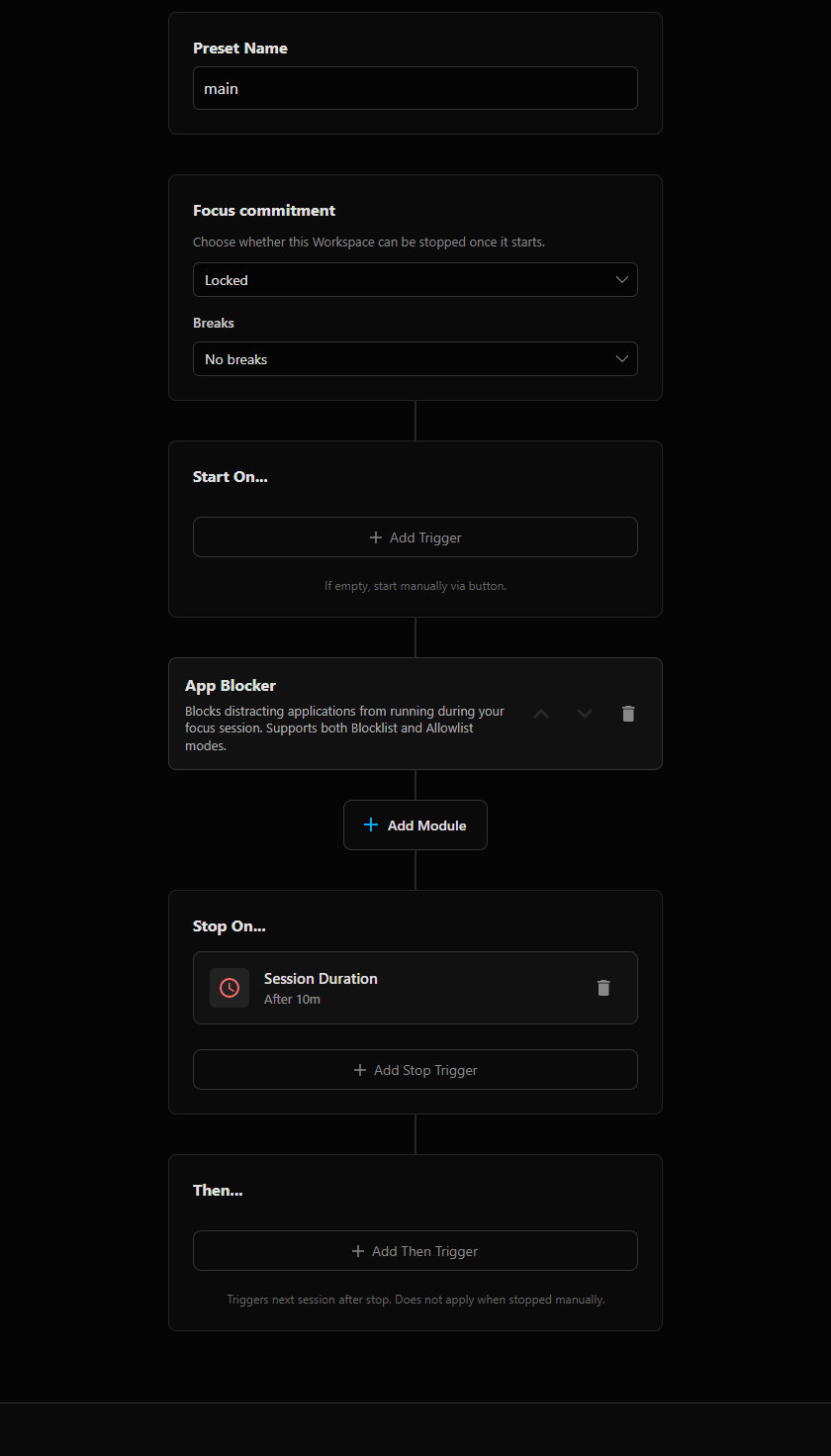
Axorith preset editor showing preset name, Focus Commitment, Start On, App Blocker, Stop On and Then sections

Keep the workspace. Remove everything else.

Block selected apps and sites, or let App Blocker allow only the applications configured in the current Workspace.

App Blocker Only allow Workspace apps
CLionBrowserSpotify
SteamDiscordOther apps
Site Blocker Block selected categories
SocialVideoStreamingGamingNewsShopping

Programming at 09:00. Relax at 18:00.

Axorith can start one preset on schedule, end it at a fixed time and hand off to the next preset automatically.

09:00
ProgrammingLocked
Time Schedule · Mon–Fri · 09:00
CLionBrowserSpotifyApp BlockerSite Blocker
18:00
RelaxNormal
Started by previous preset
SteamDiscordSpotify

Extend the preset when you need more.

Application LauncherApplications, IDE projects, window placement and lifecycle.
App BlockerBlock selected apps or allow only Workspace apps.
Site BlockerBlock sites or categories while the session is active.
Home AssistantOptional actions for devices around the Workspace.

BLOG

Notes on the workflows Axorith is built around.

View all posts

Build the preset once. Run the setup when you need it.