Axorith combines three jobs that are usually split across separate Windows tools: it can block desktop apps, block websites, and launch the applications or projects you actually need. Those settings live in one preset, so starting work can be one action instead of a small setup routine.
It is local-first and currently built around Windows desktop workflows. Personal and non-commercial use is free under the BSL 1.1 license.
The problem
The blocker is only half of the workflow.
A normal focus setup often starts with several unrelated actions: close Discord or Steam, open an IDE, open the right browser profile or project, start music, then enable a website blocker. A blocker can remove distractions, but it usually does not build the workspace that replaces them.
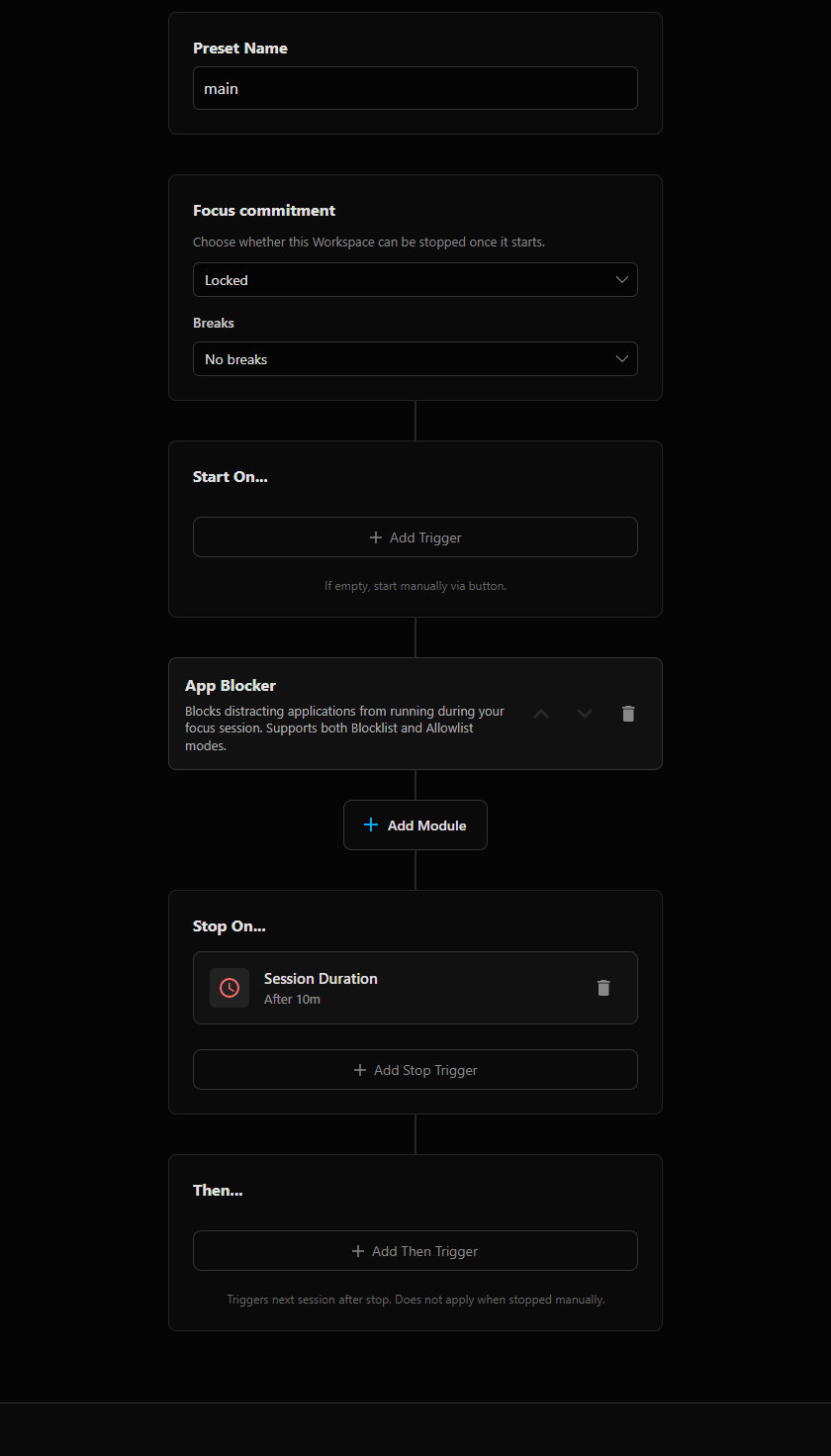
Axorith treats the whole setup as one session. The preset describes both sides: what should be available and what should disappear while that session is active.
One preset
Launch the workspace and apply the restrictions together.
Open work apps
Launch applications, IDE projects and browser setups when the session starts.
Block desktop distractions
Block selected applications, or allow only applications configured for the current workspace.
Block distracting sites
Apply site rules and category blocking while the session is active.
End on your rule
Stop manually, after a duration, at a fixed time, or hand off to another preset.
Application Launcher
Open the things that make the blocked time useful.
Application Launcher can start applications and IDE projects as part of the preset. It also supports window and lifecycle settings, so the session is not limited to “open this EXE.” The point is to make the desired workspace appear at the same moment the distractions are removed.
Scheduling
Run it manually or make it happen at a fixed time.
A preset can stay manual, or it can be attached to a schedule. A recurring work preset can start Monday through Friday at 09:00, stop at a fixed time or after a duration, then start a different preset such as Relax.
This is the main difference between a pile of separate utilities and one workspace rule: the launchers, blockers and end condition share the same session lifecycle.
Scope
What Axorith is not trying to replace.
Axorith is currently a Windows desktop tool. If your main requirement is synchronized blocking across phones, tablets and computers, a cross-device product such as Freedom is a better fit. Axorith is aimed at the desktop workspace itself: what starts, what is blocked, how long the session runs and what happens next.
AXORITH FOR WINDOWS
Run the setup instead of rebuilding it.
Create the workspace once, then start it manually or let the schedule do it.